From GitHub Actions to Cloud Build
Moving deployment closer to where the app runs

Back in 2024, I wanted a project where I could try building an agent-like app without getting buried in infrastructure. I ended up building the AI Audio Guide app: point the camera at a landmark, and get back a short explanation with narrated audio.
In 2025 I also wanted a dedicated backend where I could explore RAG, image analysis, different models, tool calls, retrieval, and audio generation without stuffing all that product logic into the mobile client.
The first version worked. It had a mobile client, a backend API, and enough moving pieces that deployment stopped being a side quest and became part of the product.
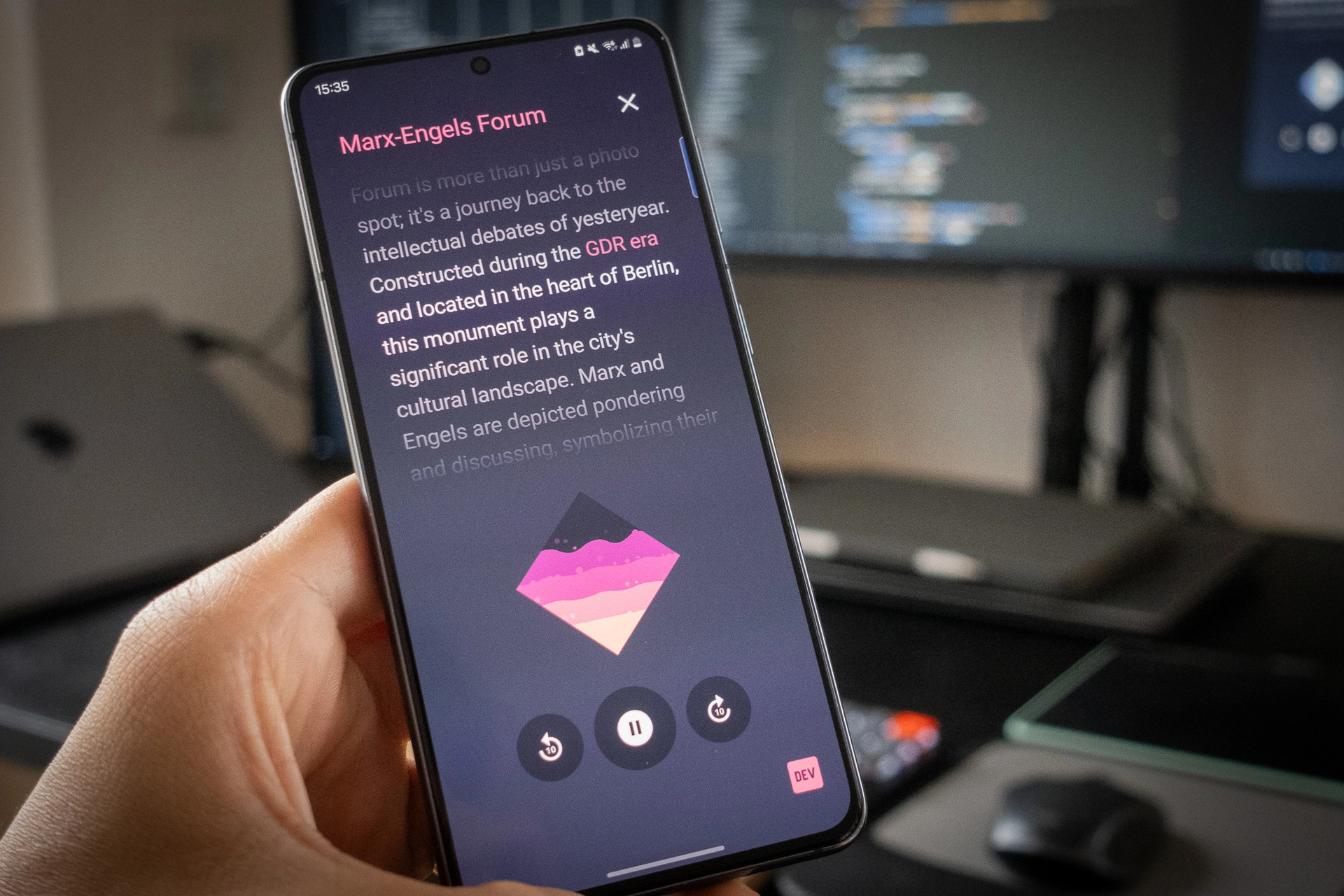
Cloud Run felt like the right place for that backend. That view got stronger after I had the chance to join an AI Paris event and talk with people from Google about Cloud Run. I did more research afterwards, especially around agents, and the product started to make sense: a real container, HTTPS, IAM, logs, Secret Manager integration, and request-based scaling without running a platform team for an experiment.
I wanted containers, but I did not want to run servers or manage a Kubernetes cluster just to ship an experiment. I also did not want to squeeze the app into serverless functions. This was a backend with a few moving parts, model calls, retrieval, and audio generation. Cloud Run let the container stay the unit while Google Cloud handled the serving layer.
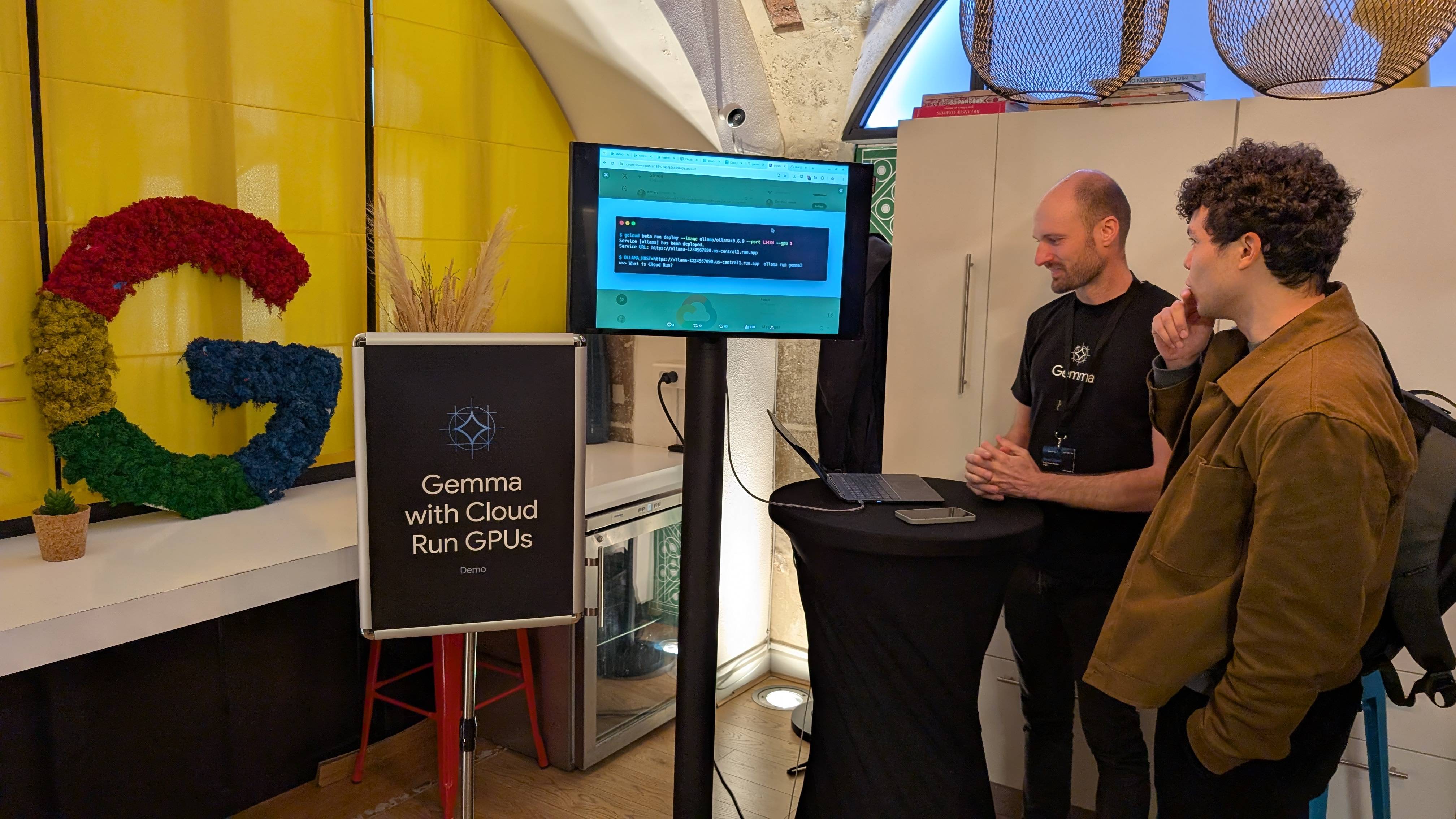
Chatting about cloud run with its founder: Steren Giannini
mobile client
  -> Cloud Run container
  -> Google Cloud APIs + RAG storage
Once I had a containerized app, deployment automation became the next problem. I was iterating fast, so I reached for the closest tool: GitHub Actions. The code was already on GitHub, I knew the workflow model, and wiring a release event to a build script was easy. It was a good first solution.
I also wanted the boring parts scripted. I was already familiar with the Twelve-Factor App ideas around config, build/release/run separation, and dev/prod parity. So I put most operations behind commands: start the app, run the vector store, build the container, push the image, bump the version. I wanted repeatable commands, not a checklist I had to reconstruct every time.
It worked, but there were maybe too many moving parts and components spread across different services.
| Part of the system | Owner |
|---|---|
| Source code | GitHub |
| Release trigger | GitHub release |
| Release runner | GitHub Actions |
| Container images | Artifact Registry |
| Runtime | Cloud Run |
| IAM and logs | Google Cloud |
| Secrets | GitHub Secrets decoded into .secrets/ during release |
Secrets were not committed to the repository. The shortcut was to have GitHub Actions decode them during release, write them into .secrets/, and make those files available to the container.
That was okay for moving fast. But I did not want the build path to keep acting like a secret delivery system. Secrets should be runtime concerns. Images should be deployable artifacts. If rotating a key makes me think about image rebuilds, the boundary is wrong.
There was also the runner question. GitHub Actions works for my use case, but its runner queue has been stretched pretty thin lately. Since this service already ran on Google Cloud, I would prefer not tying production deploys to an external runner queue if Cloud Build could handle that part natively.
The old release path
The previous flow started from a GitHub release:
A simplified version looked like this:
name: release-main

on:
  release:
    types: [published]

jobs:
  release:
    runs-on: ubuntu-latest

    steps:
      - uses: actions/checkout@v4

      - name: Write credentials
        run: |
          mkdir -p .secrets
          echo $SERVICE_ACCOUNT_JSON | base64 -d > .secrets/service_account.json
          echo $MAPS_API_KEY | base64 -d > .secrets/maps_api_key.txt

      - name: Authenticate Google Cloud
        uses: google-github-actions/auth@v2
        with:
          credentials_json: ${{ secrets.DEPLOYER_SERVICE_ACCOUNT }}

      - name: Build image
        run: uv run container --build --env prod --tag $TAG

      - name: Push image
        run: uv run container --push --env prod --tag $TAG
This was a valid first release path. The scripts made local and release behavior predictable, and the release event was explicit.
Still, the workflow carried too much Google Cloud context: secret files, GCP auth, Docker config, image build, registry push. All of it was headed back into Google Cloud anyway.
So earlier this year I started thinking: why not let Google Cloud do that part?
What is Cloud Build?
Cloud Build is Google Cloud’s managed build and release service. Instead of renting a generic runner somewhere else and then teaching it how to talk to Google Cloud, Cloud Build runs the release work inside the same platform that already owns the runtime, registry, logs, secrets, and IAM.
A build is defined as a sequence of containerized steps: build the image, push it to Artifact Registry, deploy a new Cloud Run revision, and record the whole story in Cloud Logging. For this project, that made Cloud Build less of a replacement for GitHub Actions and more of a natural release layer for a Google Cloud-native backend.
The Cloud Build release path
GitHub Actions and Cloud Build have different shapes.
GitHub Actions thinks in workflows, jobs, hosted runners, marketplace actions, and repository secrets. Cloud Build thinks in triggers, builds, container steps, service accounts, Artifact Registry, Secret Manager, and Cloud Logging.
If your application runs somewhere else, GitHub Actions may still be the better general-purpose tool. For this backend, Cloud Build made sense because the deployment target was already Cloud Run. The closer the release path got to Google Cloud, the simpler the system became.
The source stayed on GitHub. The release runner moved into Google Cloud, where the image registry, Cloud Run service, IAM, logs, and runtime secrets already lived.
The core cloudbuild.yaml is not complicated:
substitutions:
  _REGION: europe-west3
  _REPOSITORY: backend-images
  _IMAGE_NAME: audio-guide-api
  _SERVICE_NAME: audio-guide-api
  _RUNTIME_SERVICE_ACCOUNT: cloud-run-runtime@PROJECT_ID.iam.gserviceaccount.com

steps:
  - name: gcr.io/cloud-builders/docker
    env:
      - DOCKER_BUILDKIT=1
    args:
      - build
      - -t
      - ${_REGION}-docker.pkg.dev/${PROJECT_ID}/${_REPOSITORY}/${_IMAGE_NAME}:${TAG_NAME}
      - -f
      - Dockerfile.api
      - .

  - name: gcr.io/cloud-builders/docker
    args:
      - push
      - ${_REGION}-docker.pkg.dev/${PROJECT_ID}/${_REPOSITORY}/${_IMAGE_NAME}:${TAG_NAME}

  - name: gcr.io/google.com/cloudsdktool/cloud-sdk
    entrypoint: gcloud
    args:
      - run
      - deploy
      - ${_SERVICE_NAME}
      - --image
      - ${_REGION}-docker.pkg.dev/${PROJECT_ID}/${_REPOSITORY}/${_IMAGE_NAME}:${TAG_NAME}
      - --region
      - ${_REGION}
      - --platform
      - managed
      - --service-account
      - ${_RUNTIME_SERVICE_ACCOUNT}
      - --port
      - '8080'
      - --allow-unauthenticated

images:
  - ${_REGION}-docker.pkg.dev/${PROJECT_ID}/${_REPOSITORY}/${_IMAGE_NAME}:${TAG_NAME}

options:
  logging: CLOUD_LOGGING_ONLY
The tag supplies TAG_NAME. Cloud Build builds the image, pushes it, and deploys Cloud Run. Build logs live in Cloud Build. Runtime logs live in Cloud Logging. The deployed image lives in Artifact Registry. The IAM model is Google IAM instead of a GitHub secret that impersonates its way into Google Cloud.
At that point, the release path matched the runtime instead of pretending GitHub was the center of a Google Cloud deployment.
Improving the secret situation
One useful side effect of moving to Cloud Build was cleaning up how secrets reached the app.
The backend needed several of them: a Maps API key, a Firebase service account, a Google Cloud service account, and another API key for model-related tooling. None of these were committed to the repository, but the old release path still made GitHub Actions responsible for turning GitHub Secrets into files under .secrets/.
The official security issue name is: Unsecured Credentials. In plain English: exposing keys in places they do not need to be. In a normal backend, that is already bad, but in an agent-like backend, it gets much worse. If a tool path can be nudged into reading files, every readable credential becomes another key on the ring.
This does not make runtime secrets magically harmless. If the app process can read a mounted file, compromised code can read it too. But at least now CI is out of the secret delivery chain and keeps the image build away from runtime credentials.
Local development still works like this:
uv run secrets --pull
uv run start --dev-server
Docker Compose mounts the same directory for local container runs:
services:
  api:
    volumes:
      - ./.secrets:/code/.secrets:ro
Cloud Run gets the files from Secret Manager:
- --set-secrets
- /code/.secrets/gcp/service_account.json=app-service-account:latest,
  /code/.secrets/maps/maps_api_key.txt=maps-api-key:latest
The Docker image doesn’t carry secret files anymore. Production secrets live in Secret Manager and local development keeps the same app-facing shape.
Build identity and runtime identity are different jobs
The migration also cleaned up identity.
Instead of giving a default service account broad powers, we created a dedicated build/deploy account:
cloud-build-deployer@PROJECT_ID.iam.gserviceaccount.comThat account can run builds, push images, deploy Cloud Run, write logs, and act as the runtime service account.
The Cloud Run service uses a separate runtime account:
cloud-run-runtime@PROJECT_ID.iam.gserviceaccount.comThat account reads only the runtime secrets it needs.
A small release rehearsal
I kept one pre-production check: a separate Cloud Run service wired to smoke tags. A smoke-v... tag deploys the same build shape to the rehearsal service; a vX.Y.Z tag deploys production.
After each deploy, I run one paid end-to-end request with a real Firebase token and a fixed Brandenburg Gate fixture:
AUDIOGUIDE_AUTH_TOKEN="<firebase-id-token>" uv run smoke --target smokeThat is enough for the release flow. The smoke test is not the main story; it is just the guardrail that lets me test the path before touching production.
What broke
A few things failed in useful ways.
Cloud Build could not create the trigger until the GitHub repository was connected through the Cloud Build GitHub App. That step is obvious after you know it. Before that, the CLI error just looks like another setup problem.
The first Docker build failed because the Dockerfile used BuildKit cache mounts:
RUN ...BuildKit is Docker’s newer build engine. It enables features like cache mounts, better layer reuse, and more efficient builds. My Dockerfile already relied on it locally, but the Cloud Build Docker step did not enable it by default.
The fix was one line:
env:
  - DOCKER_BUILDKIT=1
The first Cloud Run deploy failed because of the Secret Manager mount layout. Different secrets needed isolated paths.
The runtime environment also needed to be explicit. The image had defaults, but production should not depend on whatever happens to be inside a tracked .env file. Cloud Build now sets the Cloud Run runtime environment during deploy.
None of these issues were dramatic. They were normal migration friction, and having a rehearsal service meant I could find them without poking production.
The result
The final shape is less about individual steps and more about ownership:
GitHub still owns the source. Cloud Build owns build and deploy. Artifact Registry owns the image. Cloud Run owns the runtime. Secret Manager owns the secrets. IAM owns the permissions.
For a small backend, this is the shape I wanted: no platform-engineering ceremony, no maze of console clicks, and no release runner pretending to be the cloud it deploys into.
The takeaway
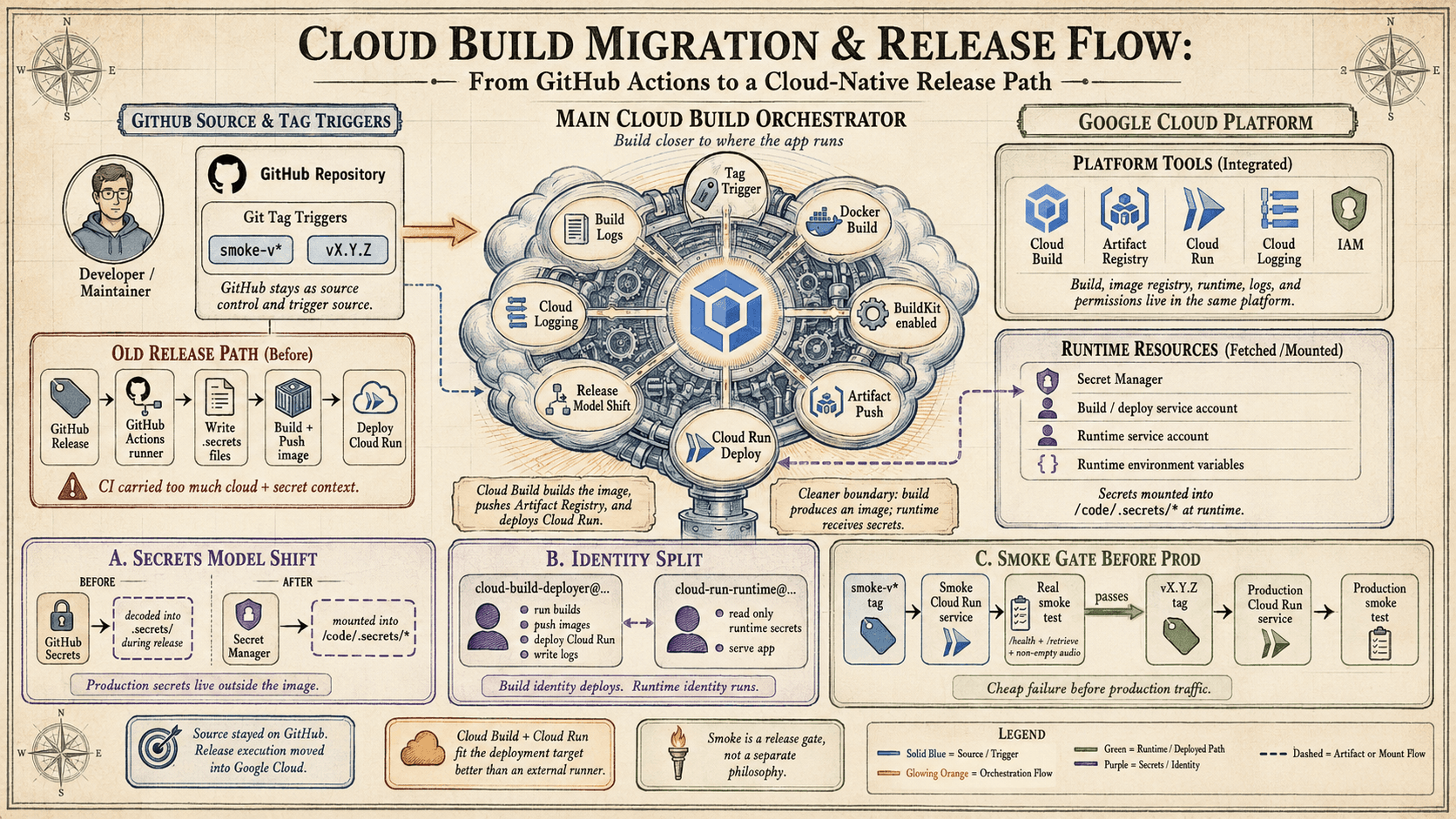
A picture is worth a thousand words.
Having this centralization gives a lot of peace of mind. When something fails, I do not have to jump between a bunch of different services. So, I can actually vouch for Google Cloud Build. It’s a stable, straightforward solution that made implementing this workflow much simpler, and I can definitely recommend it, especially if you’re already using something like Cloud Run.